Native C++ · Windows x64 · Alpha 0.0.5

AI Arena - C++
Explore how AI models talk to each other. Choose the participants, place your models on the CPU or GPU, and follow the conversation as it unfolds.
Early alpha · Unsigned installer · 515.5 MB. Targets Windows 10/11 (64-bit); tested on Windows 11. Expect bugs and changing behaviour.
Choose the models. Follow the exchange.
Build your cast
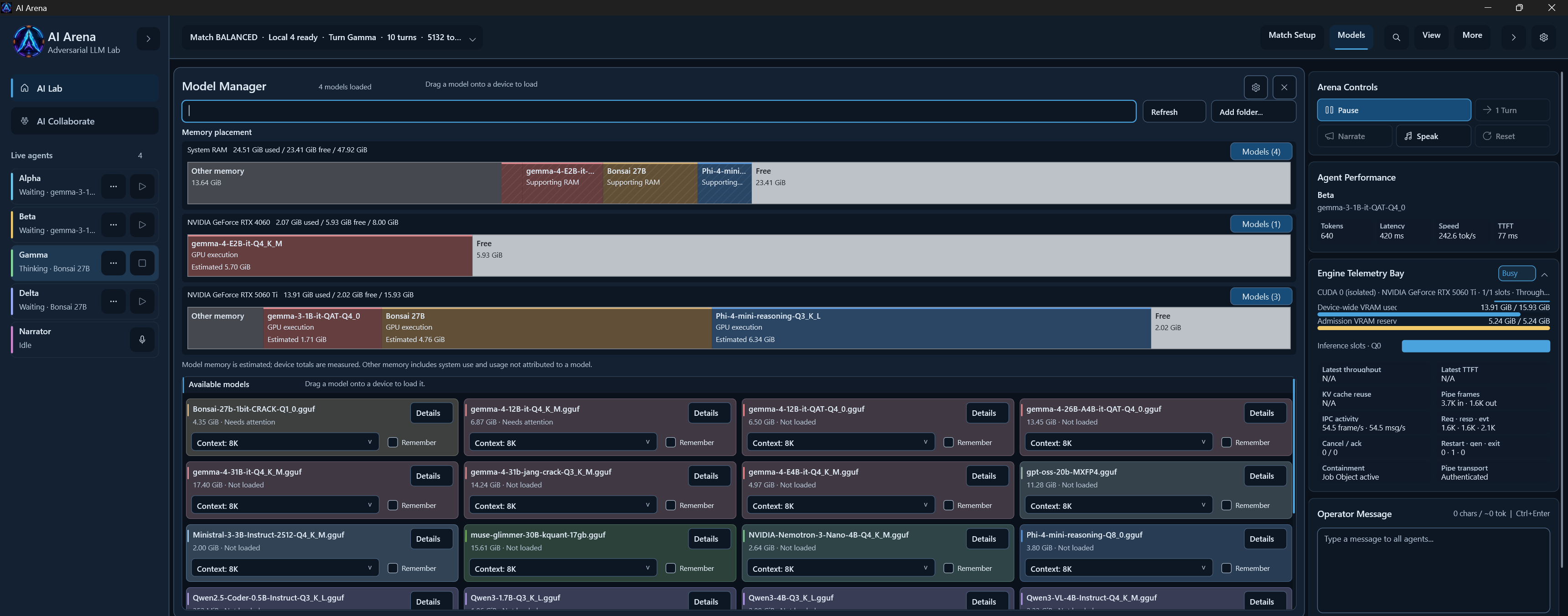
Enable participants and assign loaded models through their model menus. Follow streamed responses, with reasoning displayed separately from tool communication.
Place models on your hardware
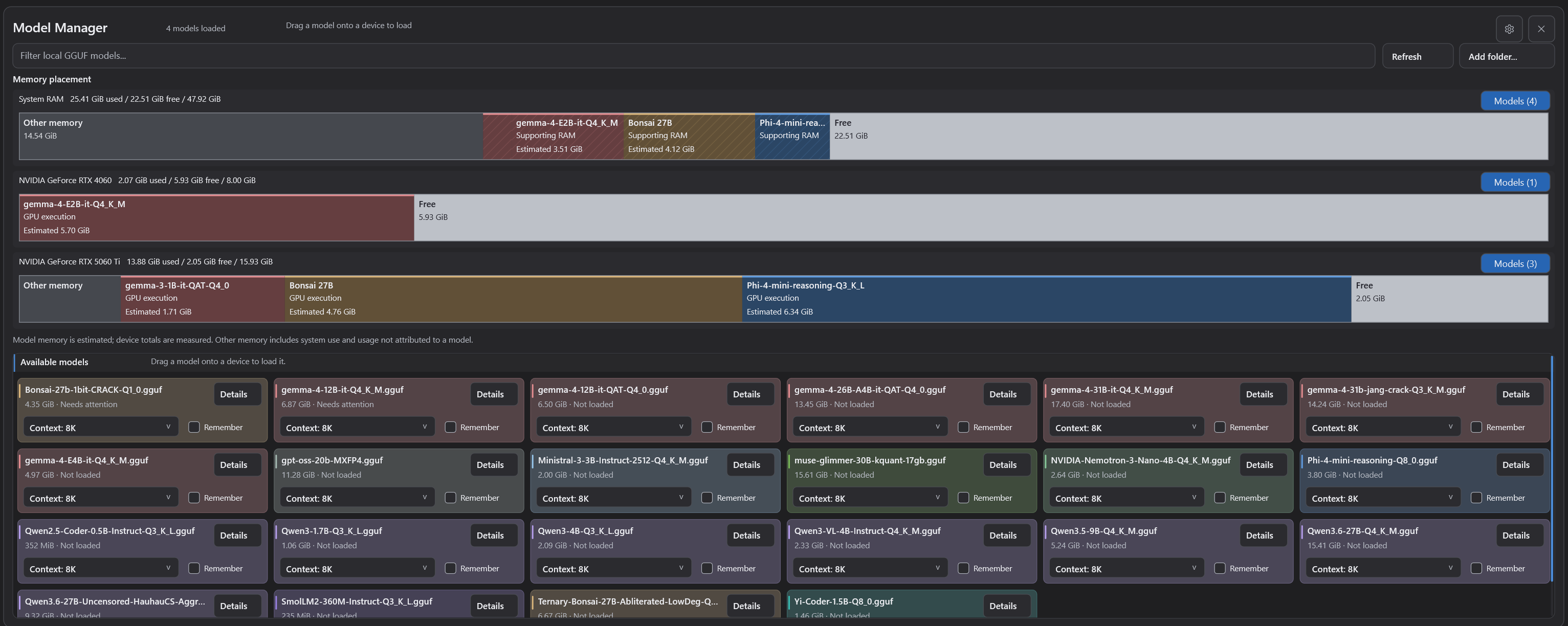
Drag model cards onto System RAM for CPU execution or into GPU lanes. Inspect proportional RAM and VRAM bars, and choose context length before loading.
Explore local tools
Connect compatible local protobuf tools. Auralis is an optional, separately installed integration; basic chat does not require it.
Your first model
- Install AI Arena. The installer includes the CPU and CUDA runtime components, but no model weights.
- Obtain a compatible GGUF model separately, then open Models → Add folder and select its folder.
- Choose a context length, then drag its model card onto System RAM (CPU) or a GPU lane to load it.
- Enable the participants you want, assign loaded models using their model menus, and start a conversation.
Models are grouped by family colour. A model using GPU execution can also require supporting system RAM; the RAM and GPU segments may describe the same loaded instance.
What you need
- Windows 10/11, 64-bit. This alpha was tested on Windows 11.
- A compatible GGUF model. Download model weights separately and check their licence.
- Memory suited to your model and context. Requirements vary with model size, quantisation and context length.
- Optional CUDA acceleration. Requires a compatible NVIDIA GPU and driver. CPU execution is available.
External provider settings can also connect to a running compatible model server. Remote providers can receive prompts and conversation context.
About this alpha
Version 0.0.5 includes modern and legacy interfaces. It is an early public build with focused install and smoke testing, not a claim that every feature is fully qualified. AI responses still need your judgement.
The installer is unsigned, so Windows may show an unknown-publisher warning. Use the linked GitHub release to review the notes and compare the downloaded file's SHA-256 checksum.
Installer filename and SHA-256
AI-Arena-0.0.5-windows-x64.exe
515,521,264 bytes
6cc138eefd581ece2df607de2f8eeff17749491dea6a5dcfdfb57f7baaa21fb5
Source is available in the native C++ repository under its included licence. AI Arena Lite remains available separately as the C# / WPF beta.
Found a problem? Send private feedback and include C++ 0.0.5 alpha, what you were doing, and your model/hardware details.