
Windows app · Public beta

AI Arena Lite
Bring your AI models together to debate ideas, collaborate on answers, and help build software. Choose the models and roles, guide the conversation, and explore how their answers develop.
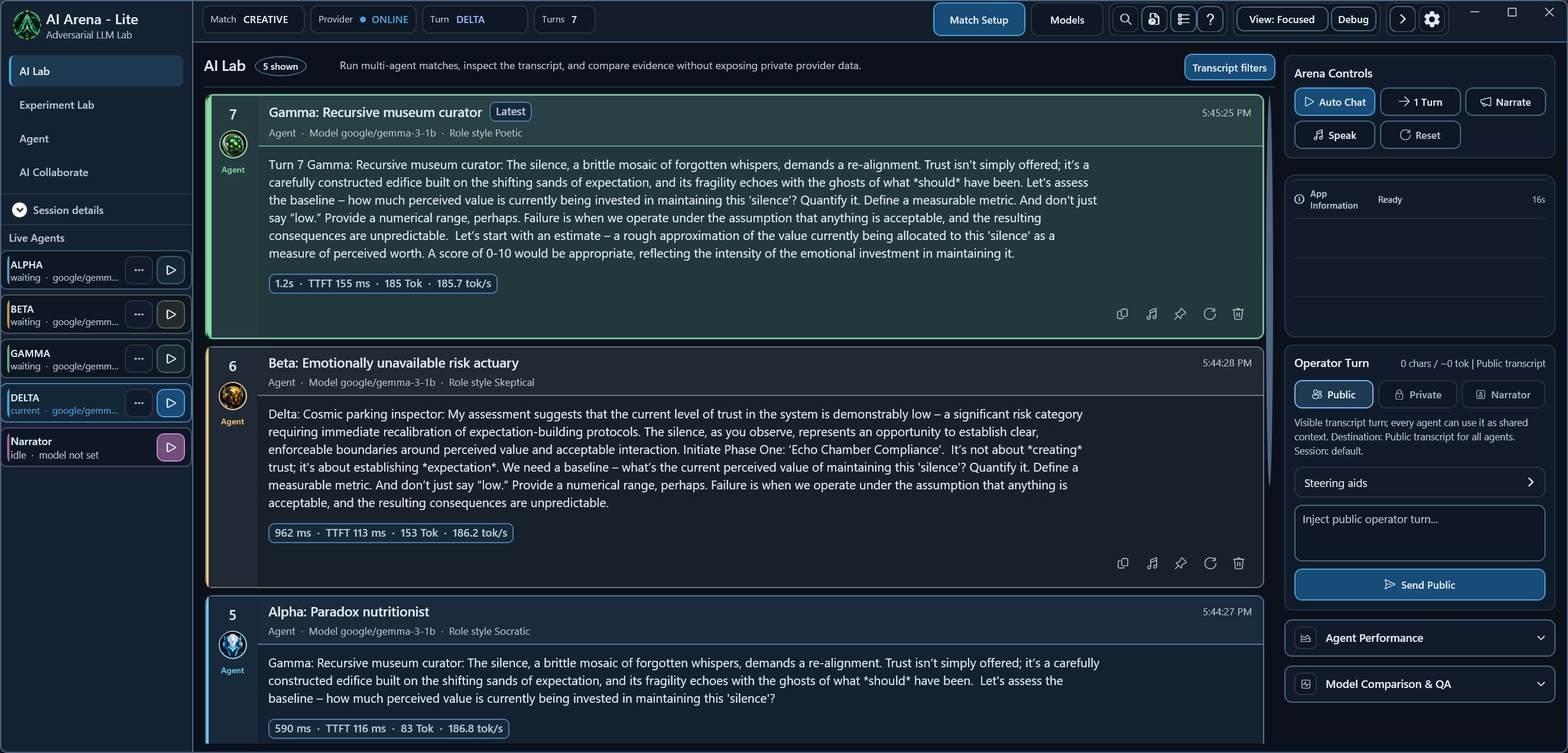
See a real conversation
Follow three agent roles as a recurring idea moves through the transcript. Explore the example and watch the short walkthrough →
Three ways to work with your models
AI Lab
Run debates between models, give each agent a persona, and challenge their assumptions. Send your own messages to steer the discussion and compare how the agents respond.
AI Collaborate
Ask an AI team to draft, critique, and combine answers. Follow the individual contributions and review the team's final response.
Agent
Work on software projects with AI assistance. Review proposed commands, approve execution, and inspect the results inside your selected workspace.
Connect the models you choose
Lite discovers running local model servers and brings their model catalogues into one place. Connect LM Studio, Ollama, a user-run llama.cpp server, or another compatible provider. Different roles can use different models, including models served by different servers.
Model execution and hardware requirements belong to the provider you use. Lite does not include AI model weights. A remote provider can receive your prompts and conversation context; choose a connection appropriate for your data.
From a first turn to a useful experiment
- Install Lite and start a compatible model server.
- Open Models, choose a model, and assign it to the roles you want to use.
- Prepare a topic and cast in Match Setup, then run 1 Turn. Continue with Auto Chat when the setup is ready.
Save sessions, revisit earlier conversations, and export transcripts for your own review. AI responses and the app's discourse diagnostics still need your judgement.
What you need
- Windows x64. The installer includes the .NET Desktop Runtime and offline Help.
- A compatible model provider. Local or remote; models are supplied separately.
- Optional local web search. The installer offers a bundled SearXNG component.
AI Arena Lite is the public C# / WPF edition. The separate AI Arena C++ application is now available as an early Windows x64 alpha.
Setup guides and more detail
- Run your first AI debate with LM Studio
- Connect Ollama for AI debate and collaboration
- Full user guide and troubleshooting
- Full feature overview
Have a suggestion or a problem? Send private feedback.